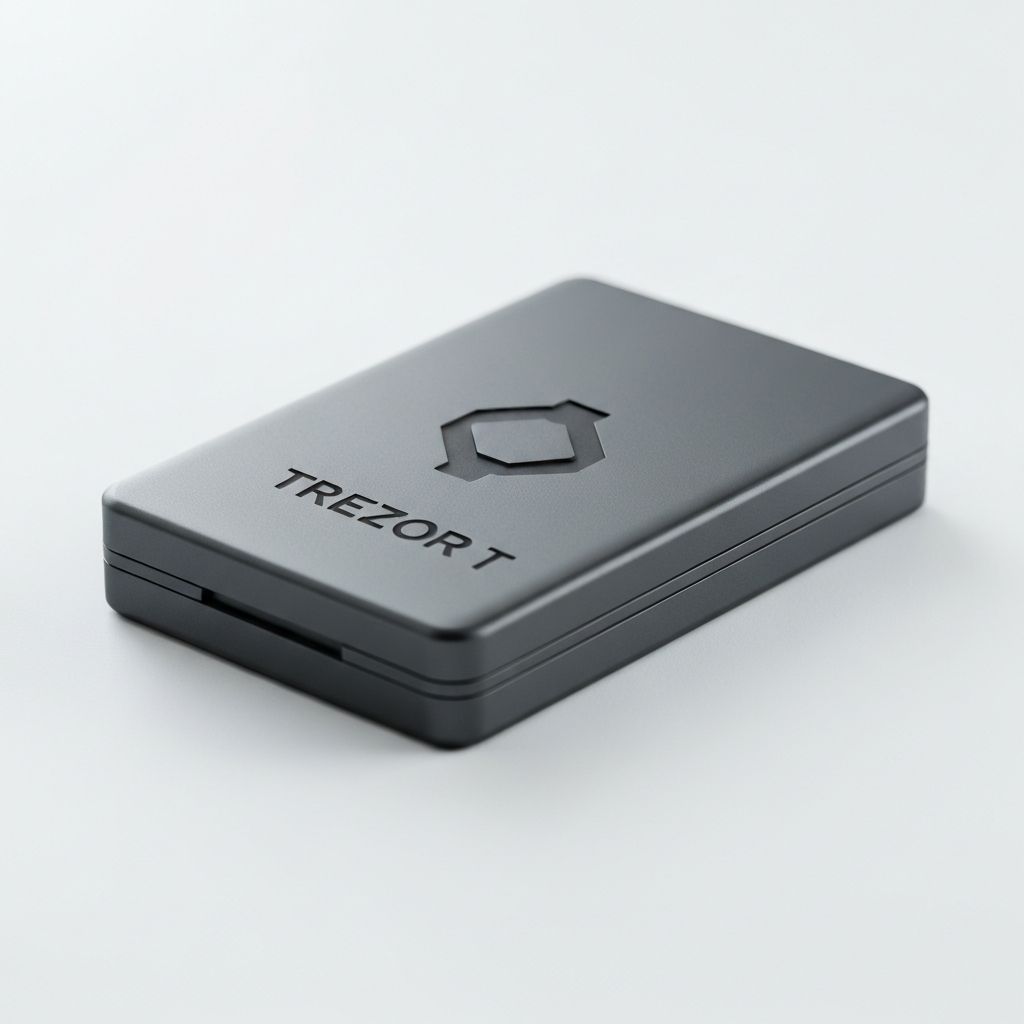
Trezor Model T
Premium hardware wallet with color touchscreen and comprehensive cryptocurrency support.
KEY FEATURES
OVERVIEW
The Trezor Model T is the flagship hardware wallet from SatoshiLabs, the company that invented the hardware wallet concept. Featuring a vibrant color touchscreen, the Model T allows you to enter your PIN and passphrase directly on the device, never exposing sensitive information to your computer. With open-source firmware and support for over 1,000 cryptocurrencies, it's a top choice for security-conscious investors.
The Trezor Model T is the flagship offering from SatoshiLabs, the company that invented the concept of hardware wallets in 2014. As pioneers in the space, Trezor has maintained an unwavering commitment to open-source software and transparent security practices.
The Model T’s color touchscreen isn’t just a premium feature—it’s a fundamental security enhancement. By entering your PIN and passphrase directly on the device, you eliminate the risk of keyloggers or screen capture malware on your computer. Combined with Shamir backup support, the Model T offers some of the most advanced security options available in any hardware wallet.
EXPERT VERDICT
The Trezor Model T sets the standard for transparent, open-source hardware wallet security. While it lacks Bluetooth, the touchscreen input provides superior security by keeping your PIN and passphrase completely isolated from potentially compromised computers. The Shamir backup option is unique and incredibly powerful for advanced users.
WHY CHOOSE TREZOR MODEL T?
Complete Transparency
As the original hardware wallet company, Trezor pioneered open-source firmware. Every line of code is publicly auditable, meaning thousands of security researchers can verify the device's security claims.
Touchscreen Security
Enter your PIN and passphrase directly on the color touchscreen, never on your computer. This eliminates the risk of keyloggers and screen capture malware stealing your credentials.
Shamir Backup
The Model T supports Shamir's Secret Sharing, allowing you to split your recovery phrase into multiple shares. Store them in different locations for geographic redundancy without a single point of failure.
Don't Risk Your Crypto
Over $14 billion in cryptocurrency was lost to hacks in 2023. Protect your investment with military-grade security. The Trezor Model T keeps your private keys offline and secure.
Get Yours NowHOW WE TESTED
We tested the Trezor Model T for 4 months across various use cases, from daily transactions to long-term storage of multiple cryptocurrencies.
What We Tested
- • Touchscreen responsiveness and durability
- • Shamir backup creation and recovery
- • Integration with Trezor Suite
- • Third-party wallet compatibility
- • Password manager functionality
- • Firmware update process
Test Results
- Touchscreen highly responsive and accurate
- Shamir backup worked flawlessly
- Trezor Suite is polished and intuitive
- Compatible with all major third-party wallets
- Password manager works well with browser extension
- Firmware updates are seamless
SPECIFICATIONS
PROS & CONS
PROS
- Full touchscreen for secure input
- Open-source firmware (fully auditable)
- Shamir backup for advanced security
- Supports 1,000+ cryptocurrencies
- Built-in password manager
- Regular security updates
- Premium build quality
- SD card slot for extras
CONS
- Higher price than competitors
- No Bluetooth connectivity
- Slightly larger form factor
- Some coins require third-party wallets
WHAT'S INCLUDED
- Trezor Model T device
- USB-C cable
- Getting started guide
- Recovery seed cards (2x)
- Magnetic dock
- Stickers
SETUP GUIDE
Connect to Computer
Connect your Trezor Model T to your computer using the USB-C cable. Navigate to trezor.io/start to begin setup.
Install Trezor Suite
Download and install Trezor Suite, the official desktop application for managing your Trezor device.
Create New Wallet
Follow the on-screen prompts to create a new wallet. Choose between standard recovery (24 words) or Shamir backup.
Record Recovery Phrase
Write down your recovery phrase on the included cards. The touchscreen displays words one at a time for security.
Set PIN
Create a PIN directly on the touchscreen. Your PIN can be up to 50 digits for maximum security.
FREQUENTLY ASKED QUESTIONS
Why doesn't the Model T have Bluetooth?
Trezor intentionally omits Bluetooth to minimize attack surface. USB-only connectivity reduces the potential vectors for remote attacks, aligning with their security-first philosophy.
What is Shamir Backup?
Shamir's Secret Sharing splits your recovery phrase into multiple shares. You define how many total shares and how many are required to recover. For example, 3-of-5 means you need any 3 of your 5 shares.
Is the open-source firmware really secure?
Yes, open-source software is generally more secure because thousands of researchers can audit the code. Vulnerabilities are found and fixed faster, and there are no hidden backdoors.
Can I use Trezor as a password manager?
Yes, Trezor Password Manager encrypts your passwords with your device. They can only be decrypted when your Trezor is connected and unlocked.
Secure Your Crypto Today
Don't leave your cryptocurrency vulnerable on exchanges. The Trezor Model T provides bank-grade security with convenience. Over 8,900 satisfied customers trust their crypto to this device.